Your work.
Yours to keep.
Cartulary keeps a complete, searchable copy of your ClickUp Workspace or Jira Cloud site on your own computer, with every comment, reply and file, sealed so you can prove what it holds.
Free inventory and test run, no license needed · macOS and Windows · Read-only · Pay once
A cartulary was the book of copied charters a medieval monastery kept as proof of what the originals said. This one keeps yours, preserved and searchable.
- Every file sealed. Check it yourself with
sha256sum -c. Change one byte and the check names the file. - Read-only by construction. Its network code can only send GET requests.
- Gaps named. Each archive is rated Complete, Complete with warnings, Partial or Failed, with the reasons listed.
Supported sources
Start with the tool you’re preserving.
Need another tool preserved? Tell us which
The product
See what it keeps, and how it proves it.
Each screen below shows one part of the story: preserve the work, explore it offline, and prove exactly what was captured.
Preserve
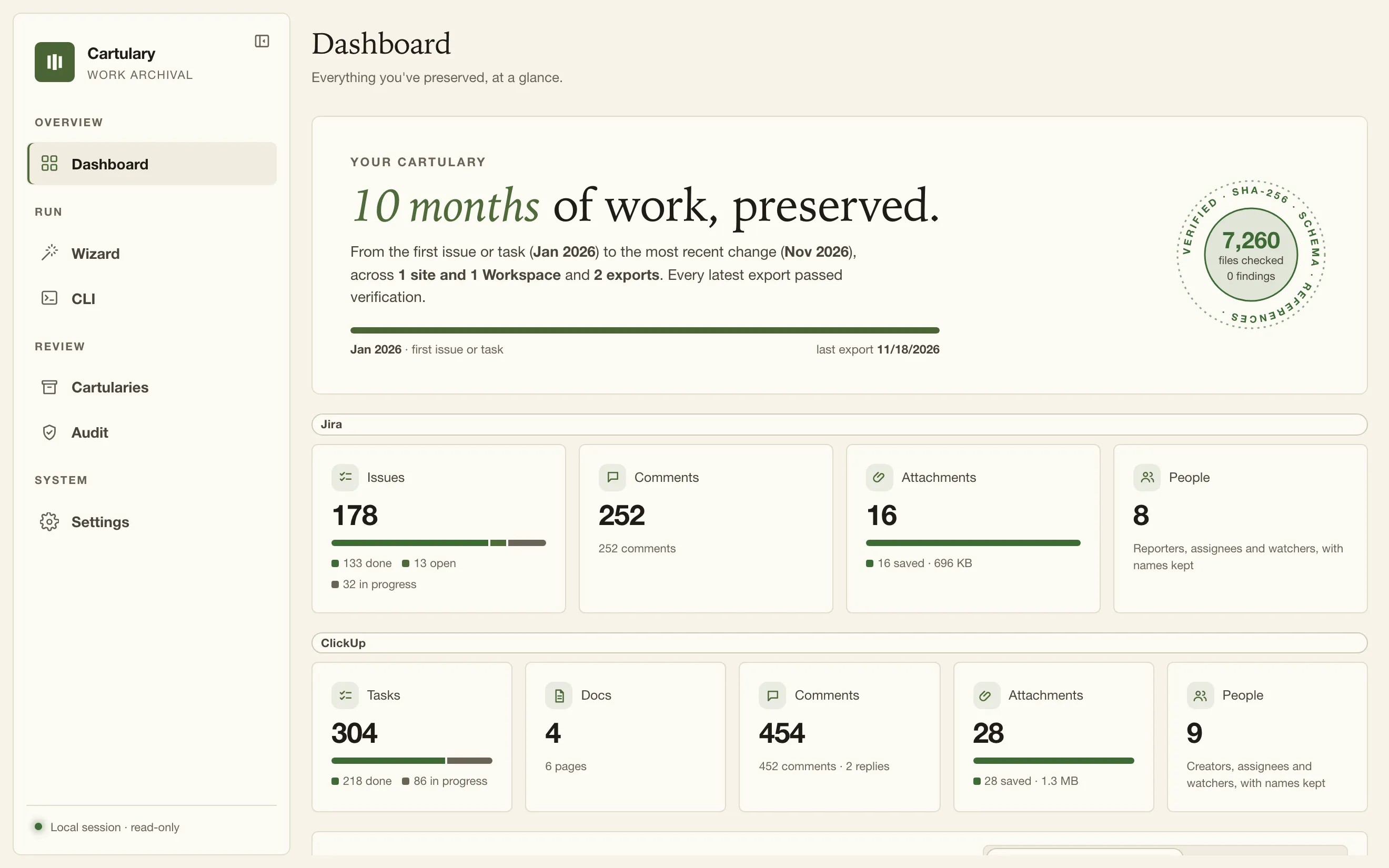
Everything you have preserved, at a glance
ClickUp and Jira side by side, each counted in its own words: tasks and Docs, issues and projects
Tasks, comments and replies, attachments, Docs and pages, and the people behind them
A verification seal: every file checked against its SHA-256 hash, with the count of findings
Runs on your computer; nothing is sent anywhere
Browse the archive
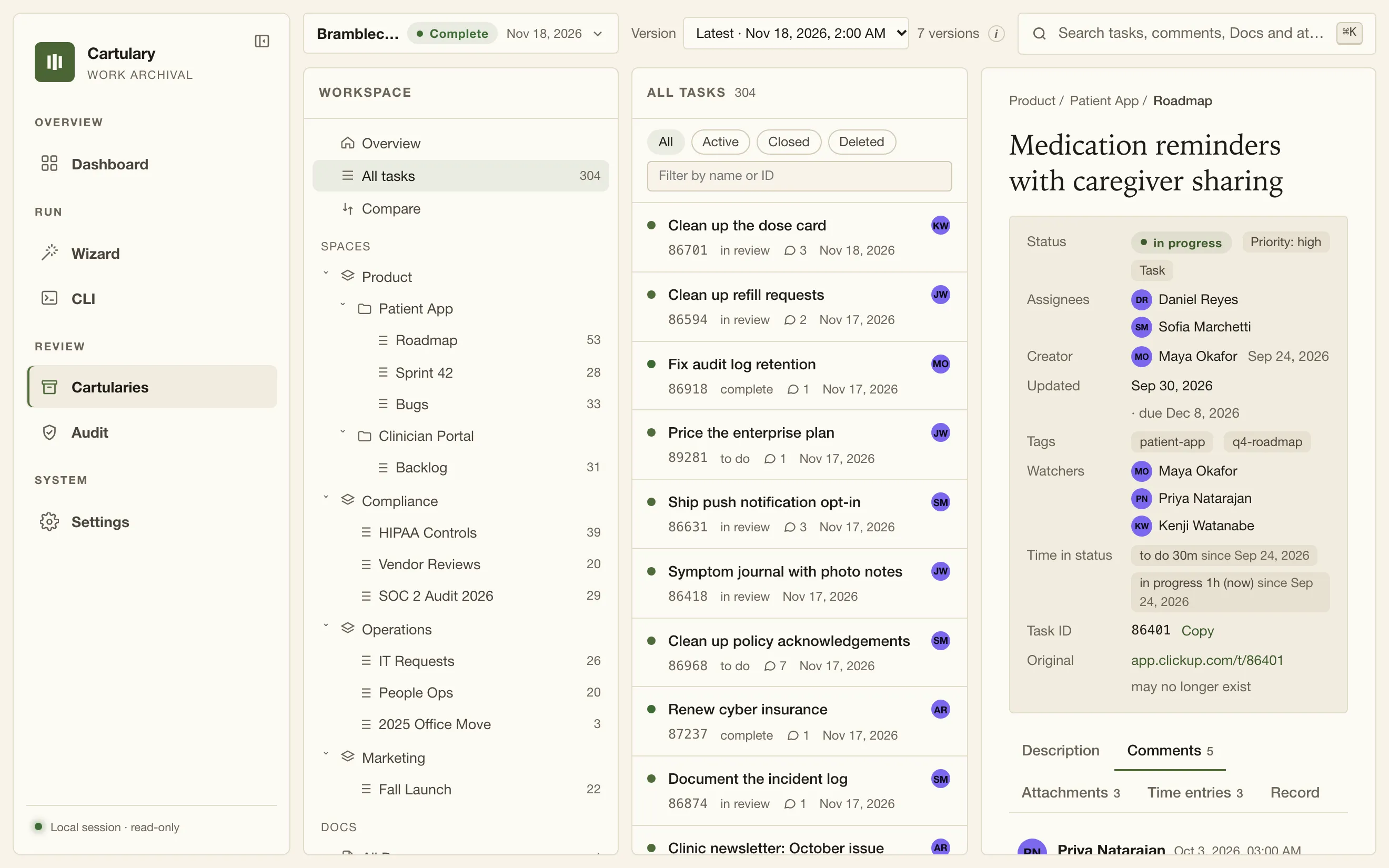
The discussion, threads and all
Threaded replies kept under the comment they answer
Files attached in a comment are downloaded too
Browse the archive
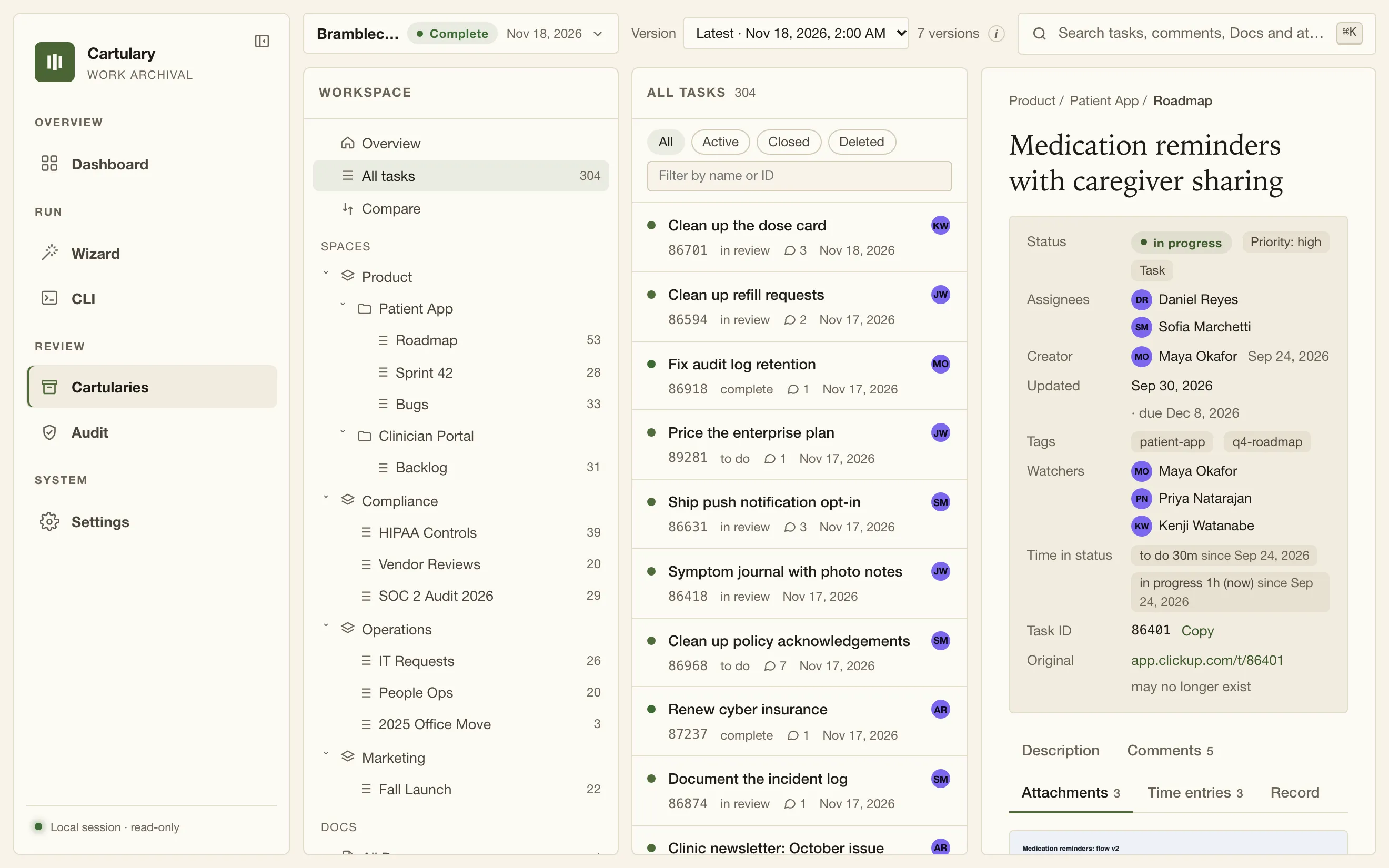
Attachments, downloaded and checked
The original file, byte for byte, with its SHA-256 hash
Unchanged files are not downloaded twice across versions
Prove it
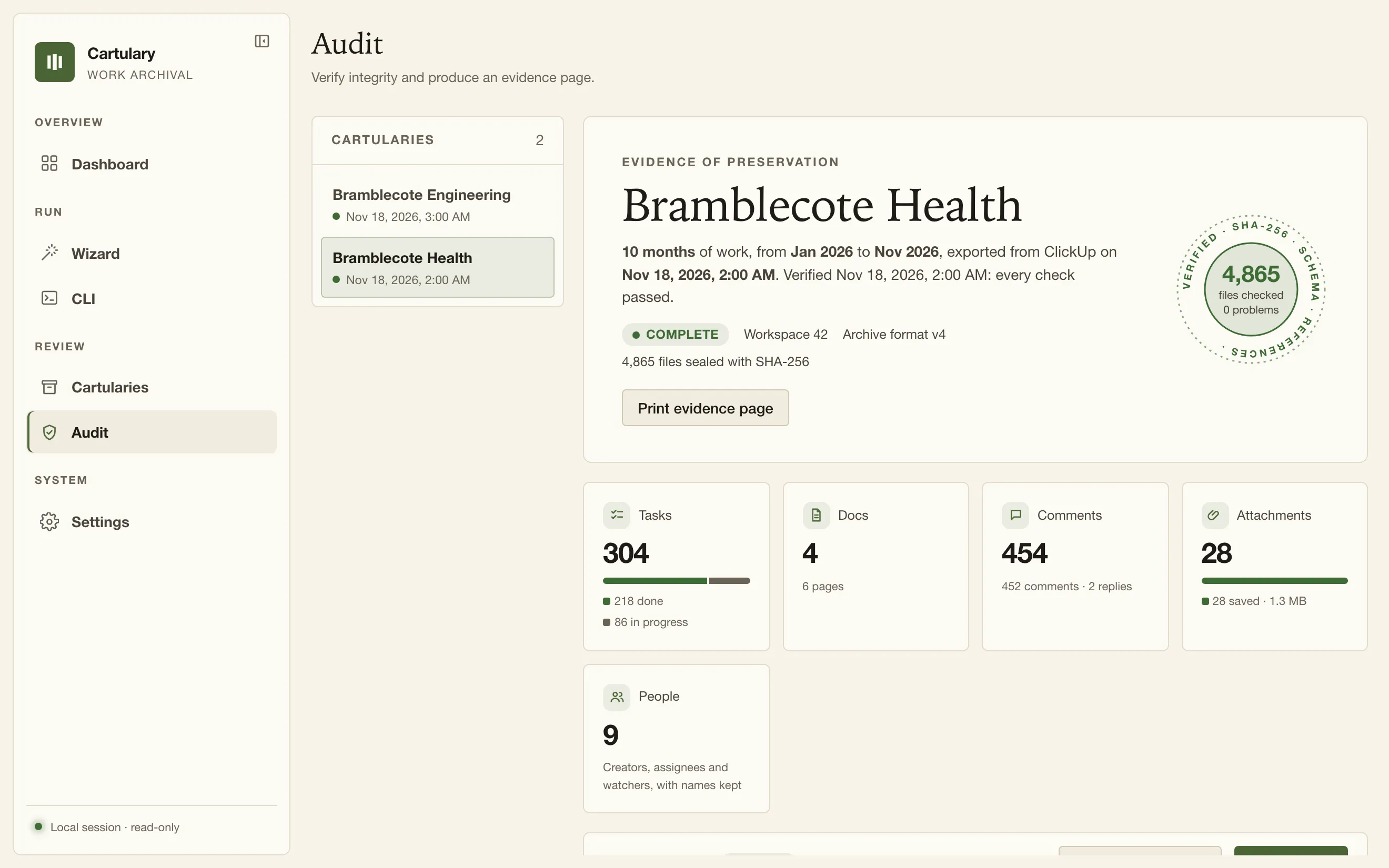
Evidence of preservation
Four checks: records well-formed, traceable to the source, attachments intact, nothing changed since sealing
Verify again at any time, on this computer
Print the evidence page, or download the verification as JSON
Prove it
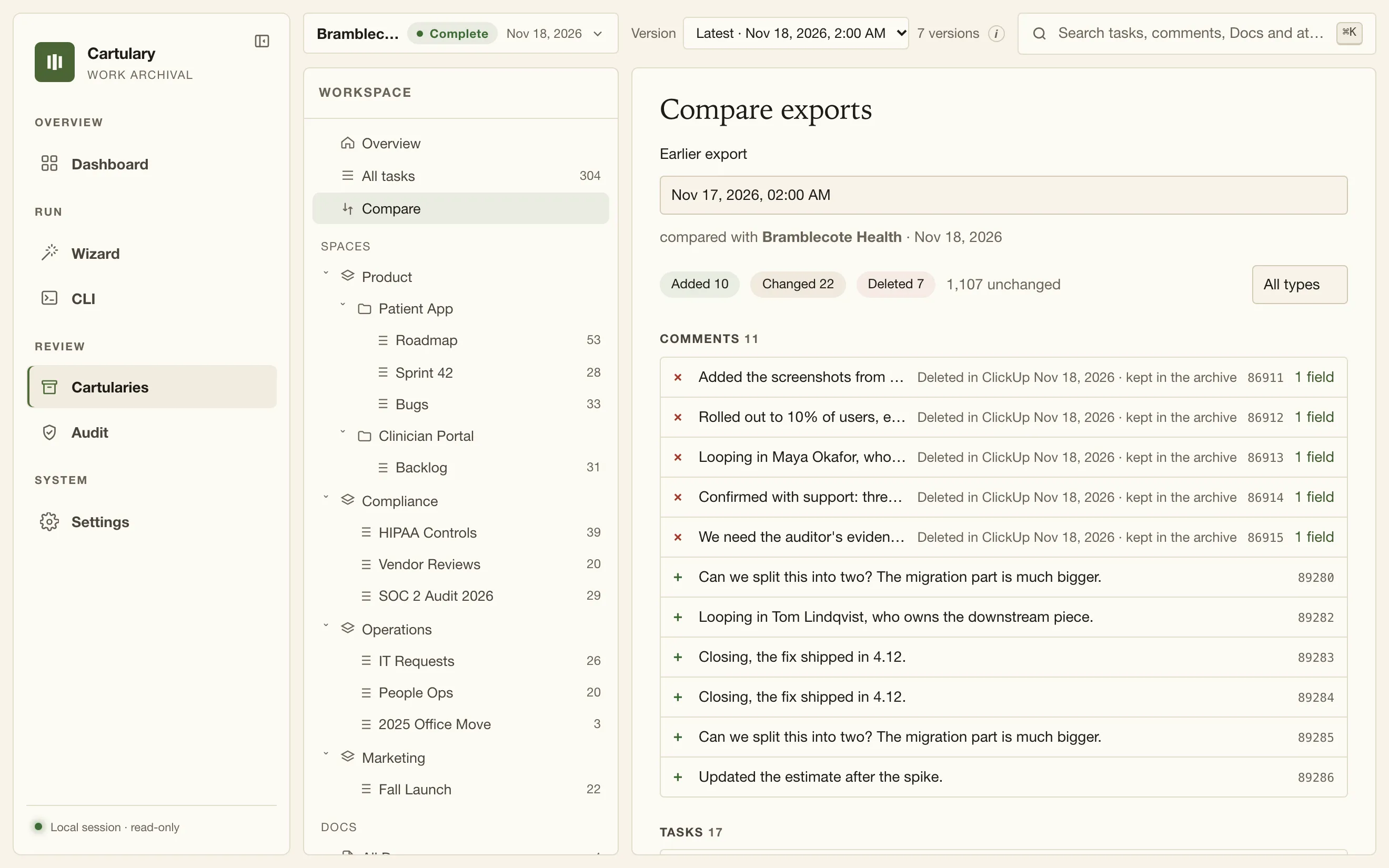
Compare two versions
Added and changed tasks, comments and Docs, with each changed field before and after
Work deleted on the platform stays in the archive, marked deleted: nothing is lost because someone removed it
Each version is sealed on its own; older versions are never rewritten
Runs itself
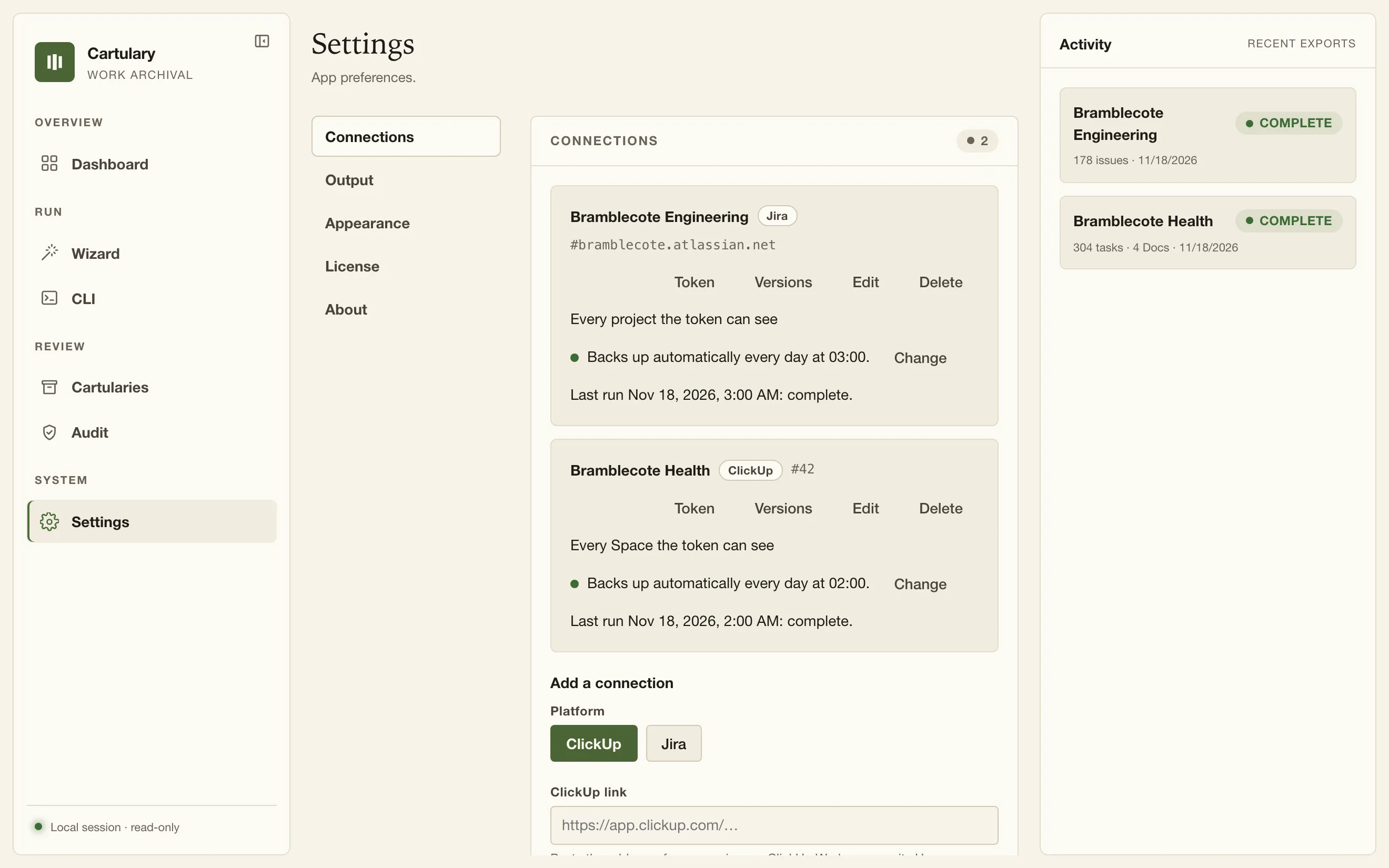
Connections and their schedules
Nightly or weekly backups, run by your computer’s own scheduler: launchd on macOS, Task Scheduler on Windows
A notification if a scheduled backup fails
API tokens kept in the macOS Keychain or Windows Credential Manager
The history is yours to keep.
- Open formats
- JSON, Markdown, CSV and a SQLite search index, plus the original API responses word for word. Readable long after any subscription ends.
- Read-only, with no restore
- The network layer has only a GET method. Cartulary preserves your work; it never writes back, syncs, or imports into the platform.
- Verified is not the same as complete
- Verification confirms nothing changed since sealing. Completeness is rated separately, as Complete, Complete with warnings, Partial or Failed, with the reasons named.
- Nothing leaves your machine
- No telemetry, no analytics, no AI services, no license server. It contacts only the platform’s API and the attachment hosts you allow.
See it move
Short films from the real app.
A tour, an export end to end, pause and resume, a version comparison, and an auditor’s evidence page. Each is a few seconds long, captured from the app itself.
Four looks, light and dark: Folio, Studio, Minimal and Glass.
Useful questions.
- Does Cartulary change anything in my ClickUp or Jira?
- No. It only reads, and its network code has no way to write.
- Can I restore an archive back into the platform?
- No. Cartulary preserves; it does not back up and restore, or sync.
- Do I need Cartulary to read my archive later?
- No. The format is published and the archive is plain files you can check and read with standard tools.
- Which platforms can it preserve?
- ClickUp and Jira Cloud today, with more sources planned. For Jira, Cartulary works with Jira Cloud. Data Center and Server aren’t supported.
- What does it run on?
- macOS and Windows.